How to Find Your Plan and Available Product Features
PEX currently offers three service Plans, designed to fit the varying needs of different sized organizations:- Base
- Core
- Pro
How to Find Your Organization’s Current Plan
PEX Dashboard:1
Log into https://dashboard.pexcard.com/
2
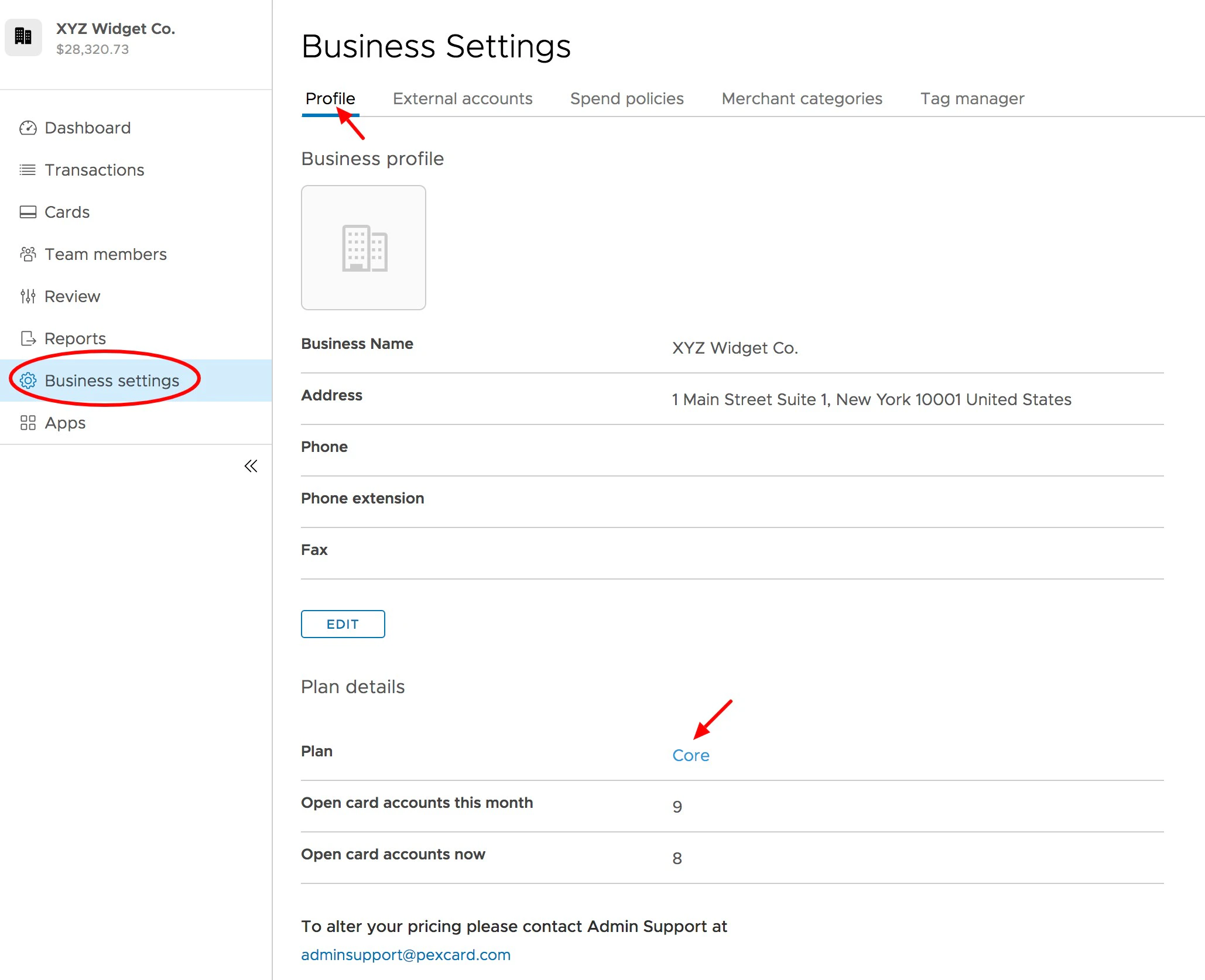
Click on “Business Settings” on the left side navigation panel
3
You can see your Plan under “Plan Details” in the Profile tab of the screen
4
Note:Base and Core pricing plans will show “Core” in this field. To clarify the pricing plan the account is on, please review the Transactions-> Business Transactions tab to view the line items labeled monthly fee.