

How to Set an Administrator’s Permissions
1
Log into dashboard.pexcard.com
2
Click the “Team Members” tab on the left side
3
Click on the name of the Administrator for whom you wish to edit permissions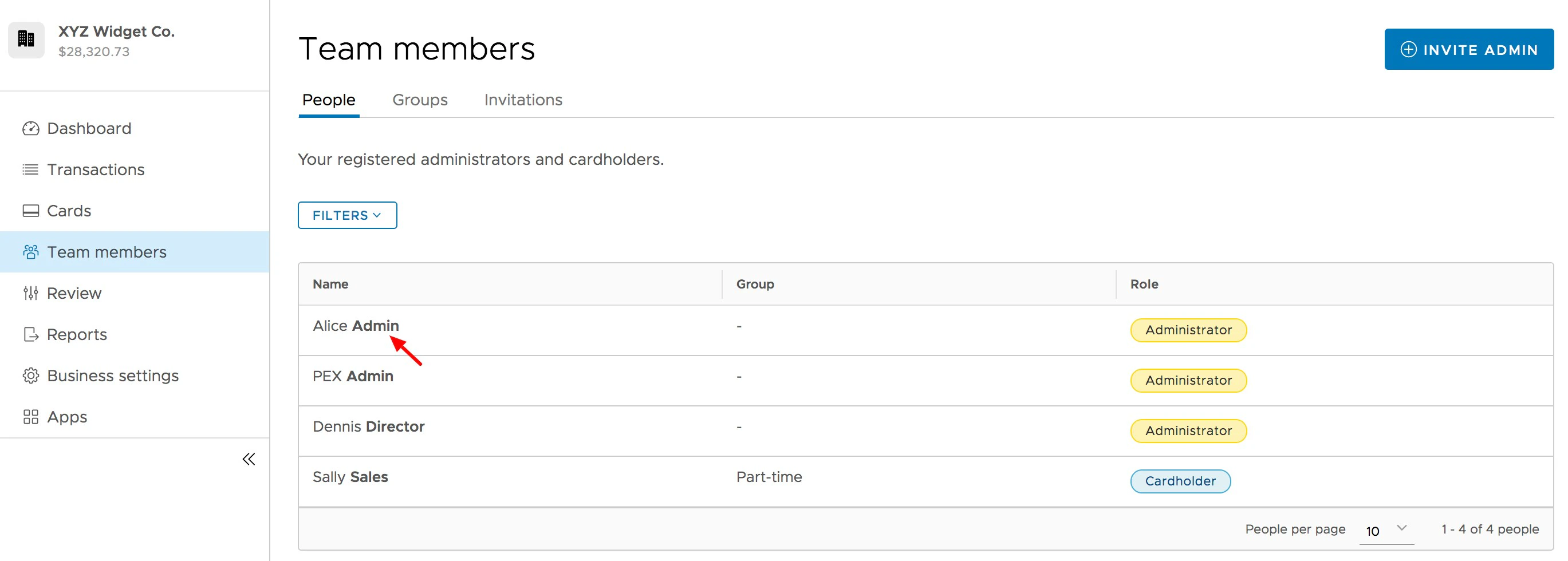
4
Click “Edit Profile” button on the Administrator’s profile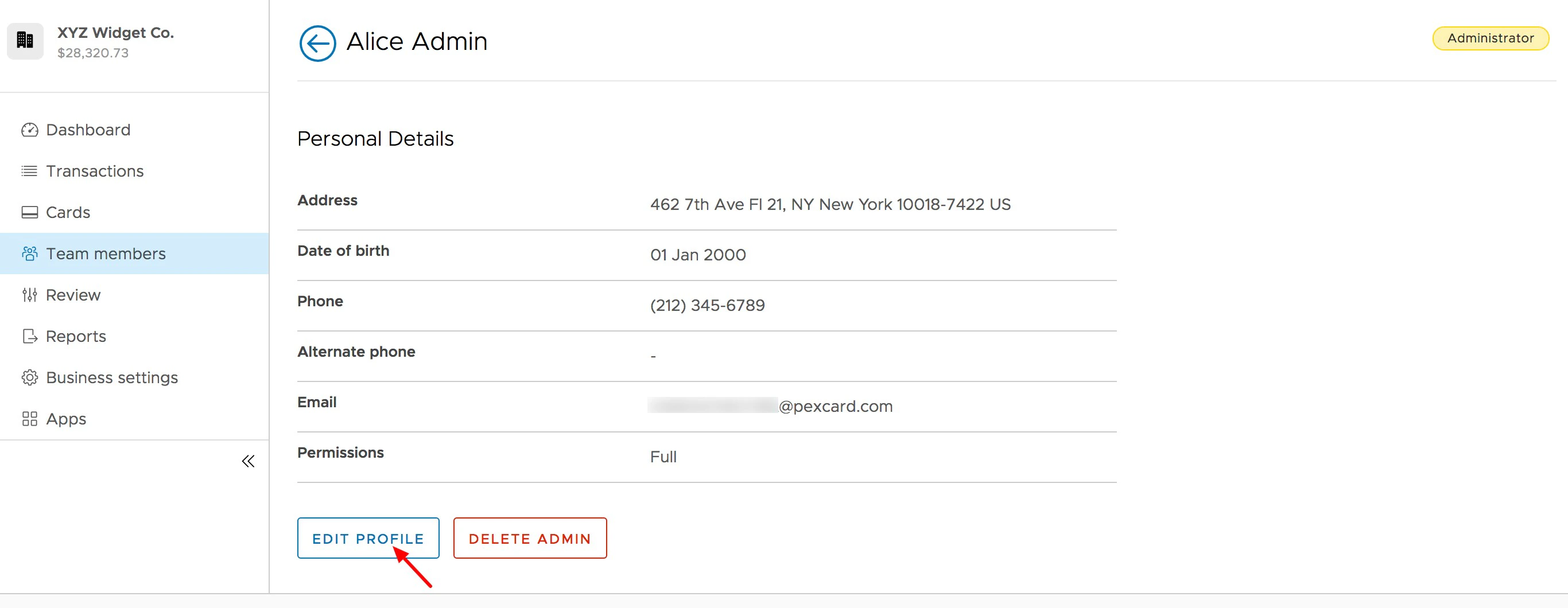
5
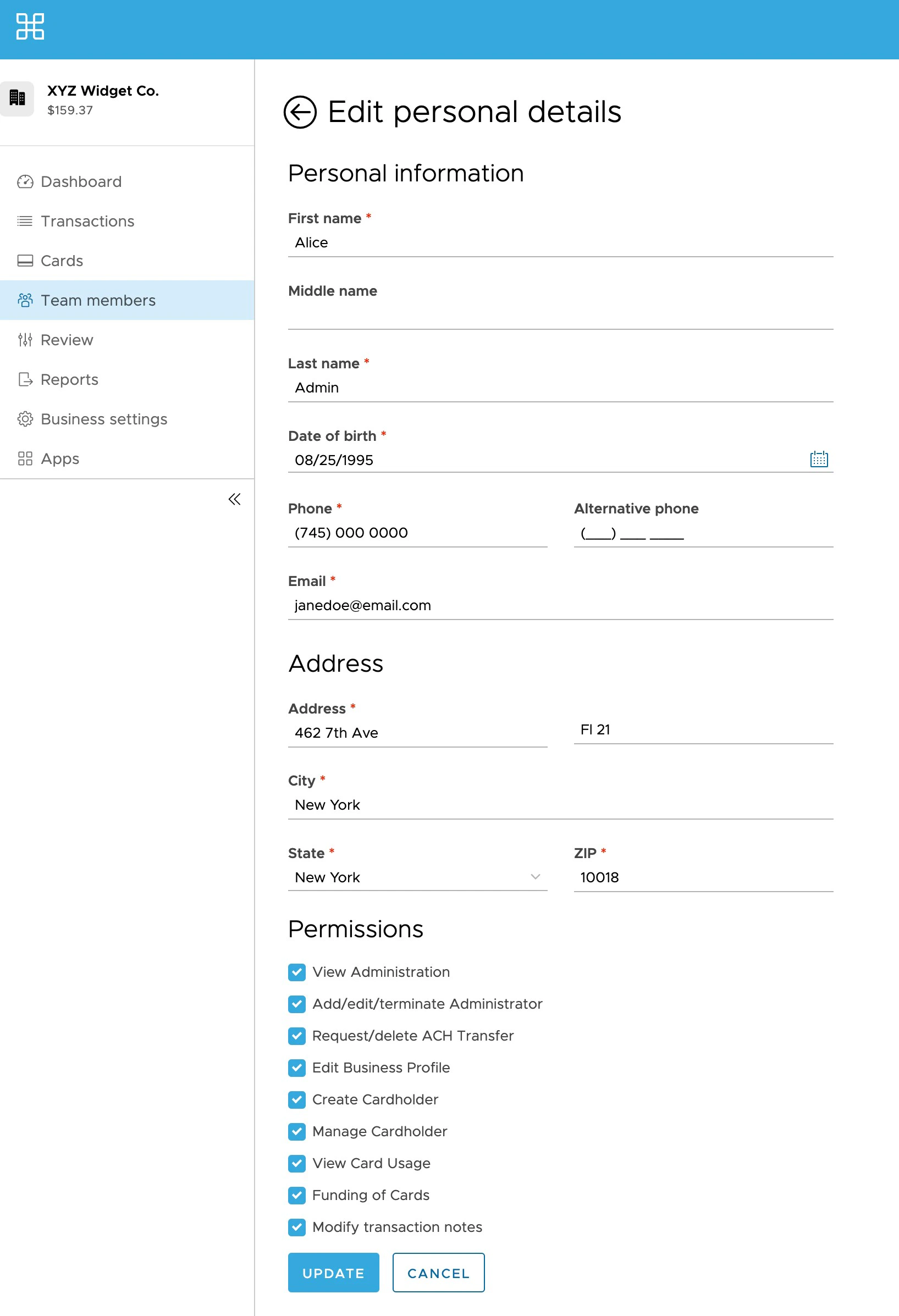
Select the permissions (check boxes) you want the Administrator to have
- If your business uses roles, pick a role from the Role dropdown instead, or choose Custom to select permissions one by one. See How to manage roles.
6
Click the blue “Update” button to save changes. Enter your security code if you’re asked for one.
Note:PEX is not authorized to update administrator permissions. If you can’t change your own permissions or role, ask an administrator with the Manage users permission to update them for you.