

- Only the Administrator who created a Custom Merchant Category can edit it
- You cannot edit the original PEX Merchant Categories (which have the blue PEX logo next to them)
- You cannot edit Locked Categories (which have an image of a lock next to them)
1
Log into dashboard.pexcard.com
2
Click on the “Business Settings” tab
3
Click on “Merchant Categories” in Business Settings
4
Click on the name of the Custom Category to edit
5
Select an MCC that you want to add to, or remove from, the Custom Category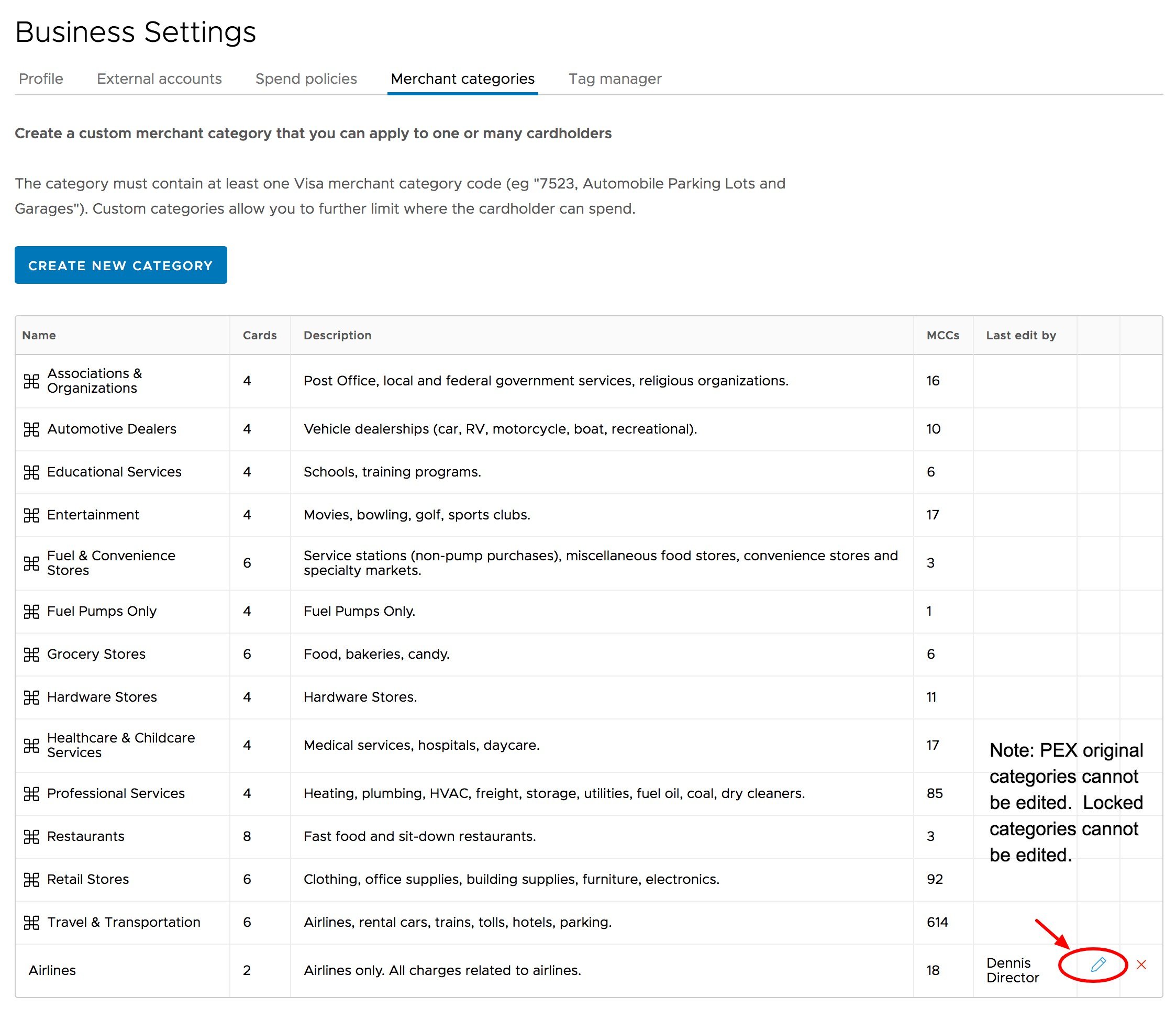
6
Click on the arrow in the box to move the MCC
7
Click the blue “Update category” button to save your changes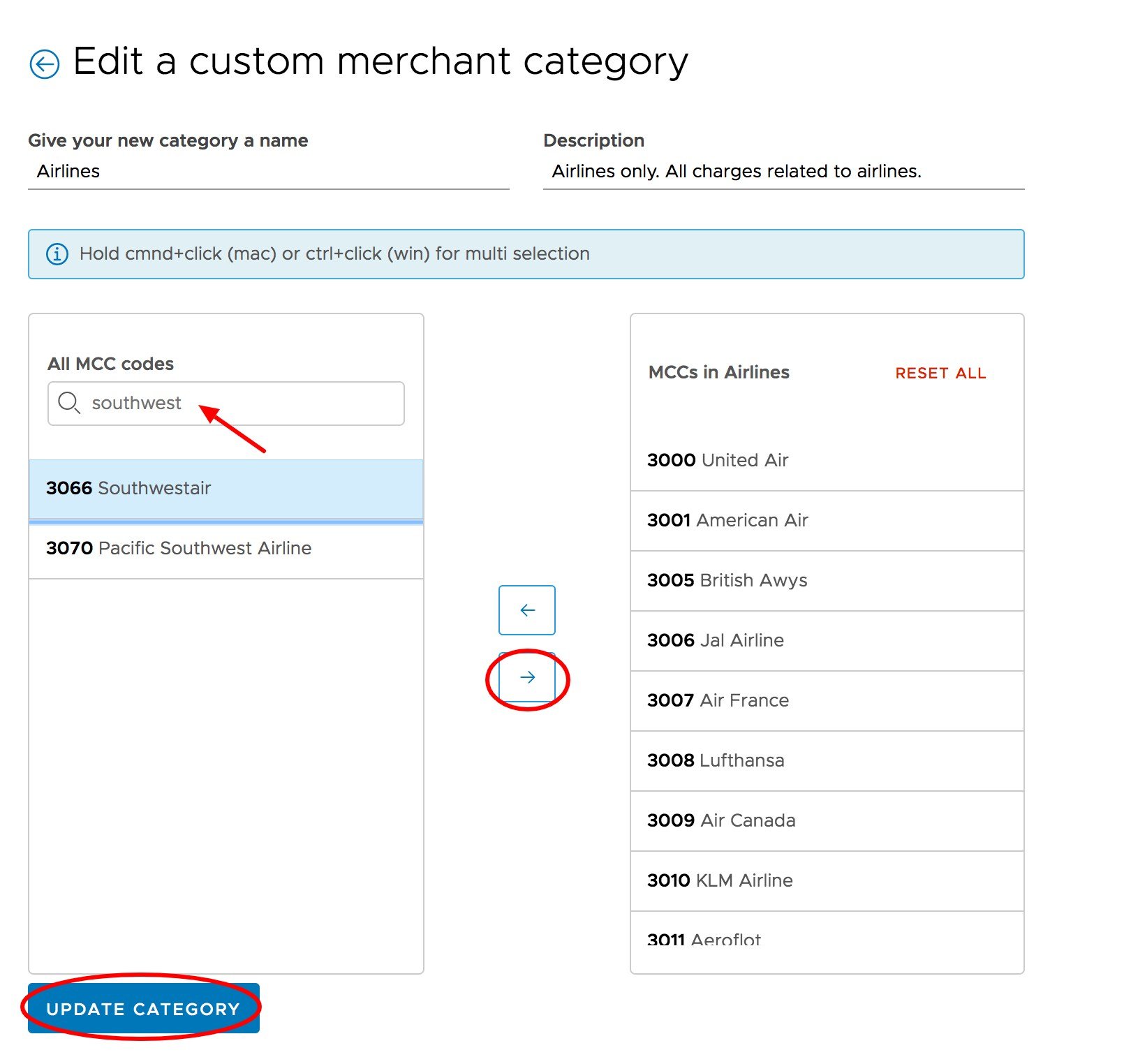
- Spending Policies and cardholder Spend Rules that have this category are updated in real-time