

How to Add a Bank Account Using Instant Account Verification via Open Banking Providers
1
Log into your PEX account at https://dashboard.pexcard.com
2
Click the “Business Settings” tab. Click on the “External Accounts” tab.
3
Click the “Add an External Account” button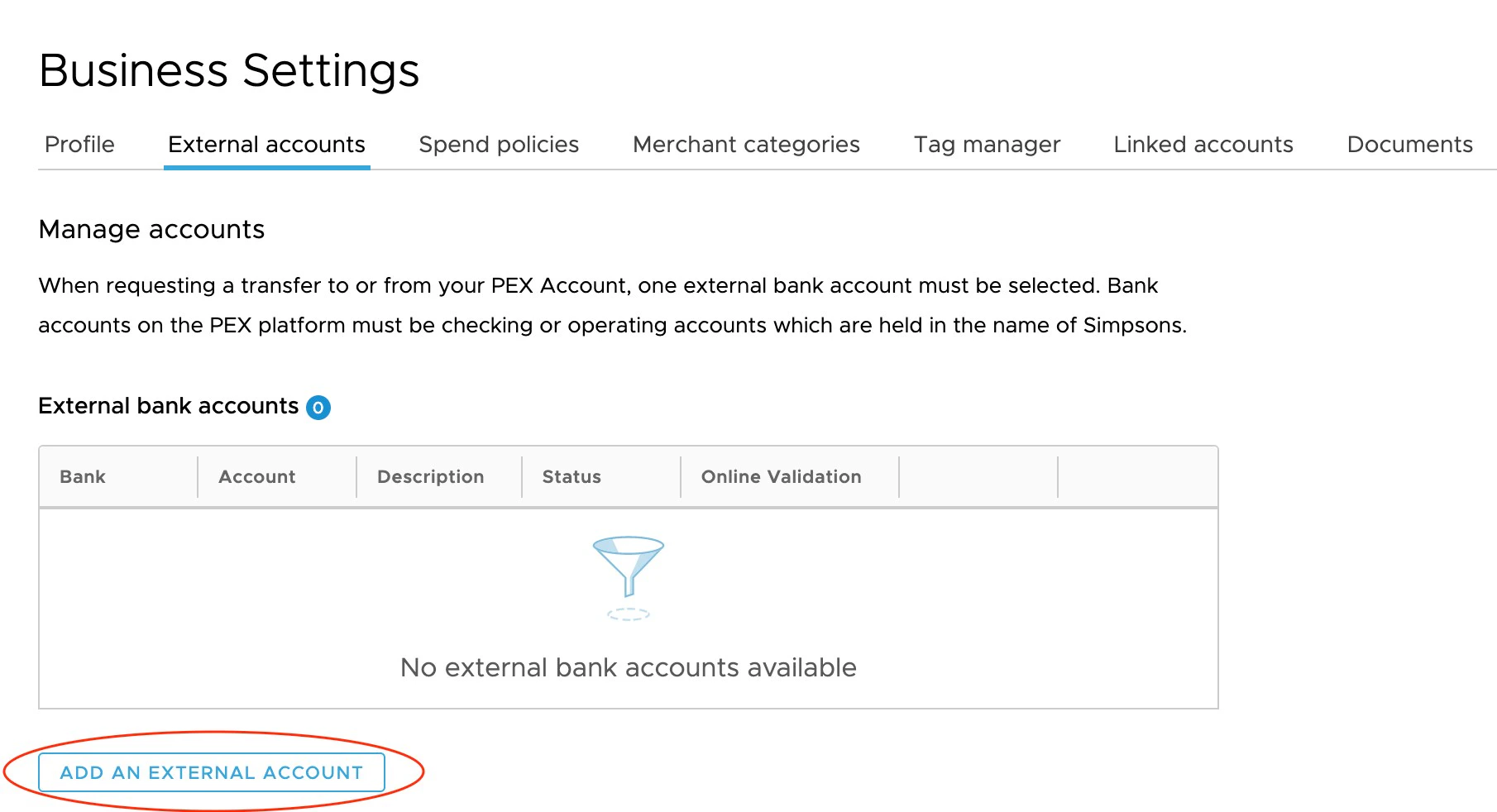
4
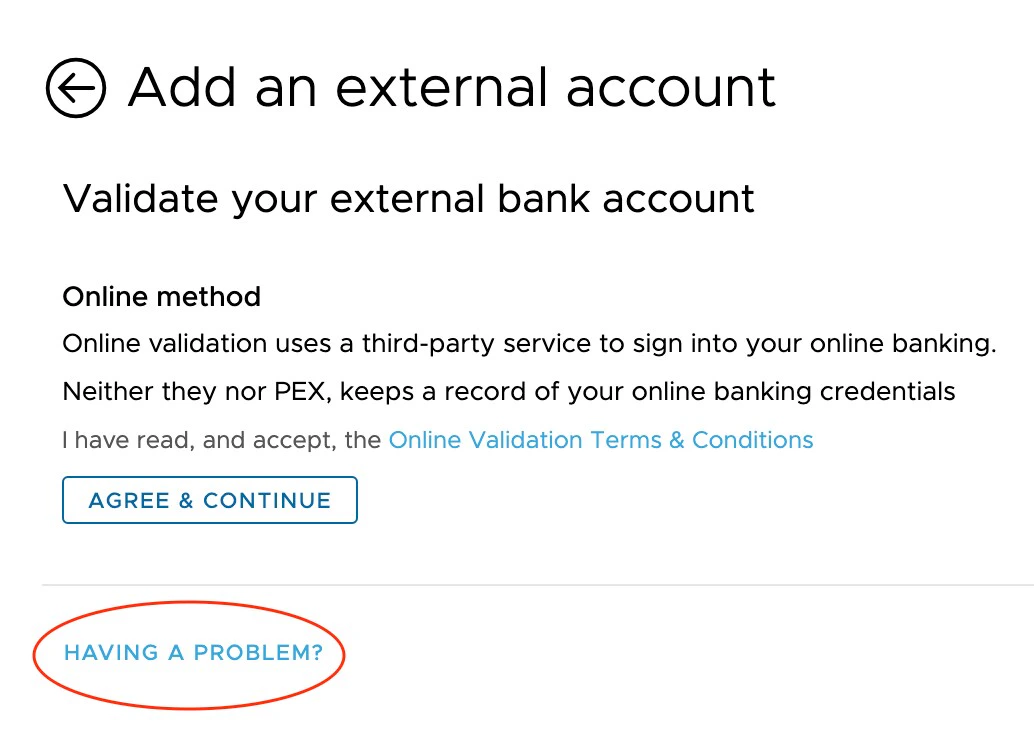
Click “Agree and Continue” to agree to the Online Validation Terms
5
Choose your bank from the list of available banks.
- PEX supports bank account authentication for thousands of financial institutions, including many of the top banks in the U.S. (Chase, Citibank, Wells Fargo, US Bank, Bank of America, and more), your bank may not be listed.
- In this case, you will need to use micro-deposits verification
6
Enter your online banking credentials (e.g., username and password)
7
Click “Continue”
8
You should see your newly added bank account in the list of External Bank Accounts
Note:If you are having issue connecting your bank account, click “Having a Problem?” and you will be able to add your account using micro-deposits verification.
How to Add a Bank Account using Micro-Deposits Verification
1
Log in to your PEX account at https://dashboard.pexcard.com
2
Click the “Business Settings” tab.
3
Click on the “External Accounts” tab.
4
Click the “Add an External Account” button
5
Click “Having a Problem?” to select the micro-deposits method for account verification.
- Enter your account number, routing number, and bank name
- Click “Submit”
6
PEX will email you a confirmation of set up and/or update within 24 hours
7
PEX will make two small deposits to your bank account in the next 2 to 3 business days.
- Check your bank account for these deposits.
8
Return to the “External Accounts” tab and enter the values of the two microdeposits
9
Click “Submit”
10
You should now see your newly added bank account in the list of External Bank Accounts