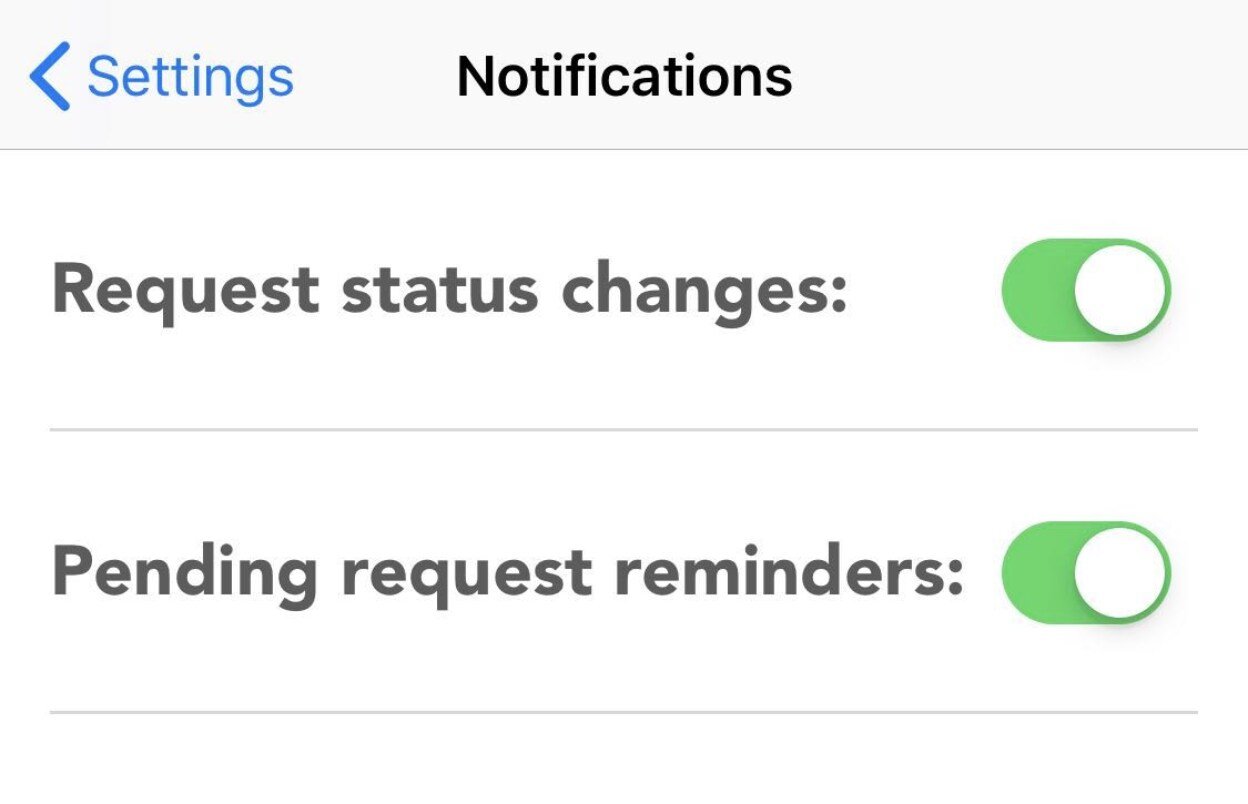
- A request has been created or has been set to “pending”
- A “pending” request was canceled by the cardholder
Note:Cardholders cannot opt out of notifications about requests.
Enabling email notifications
1
To opt in to receive emailed notifications of new requests and cancelled requests, click the “My Profile” icon in the upper right corner.
2
Click the “Notifications” tab on the profile page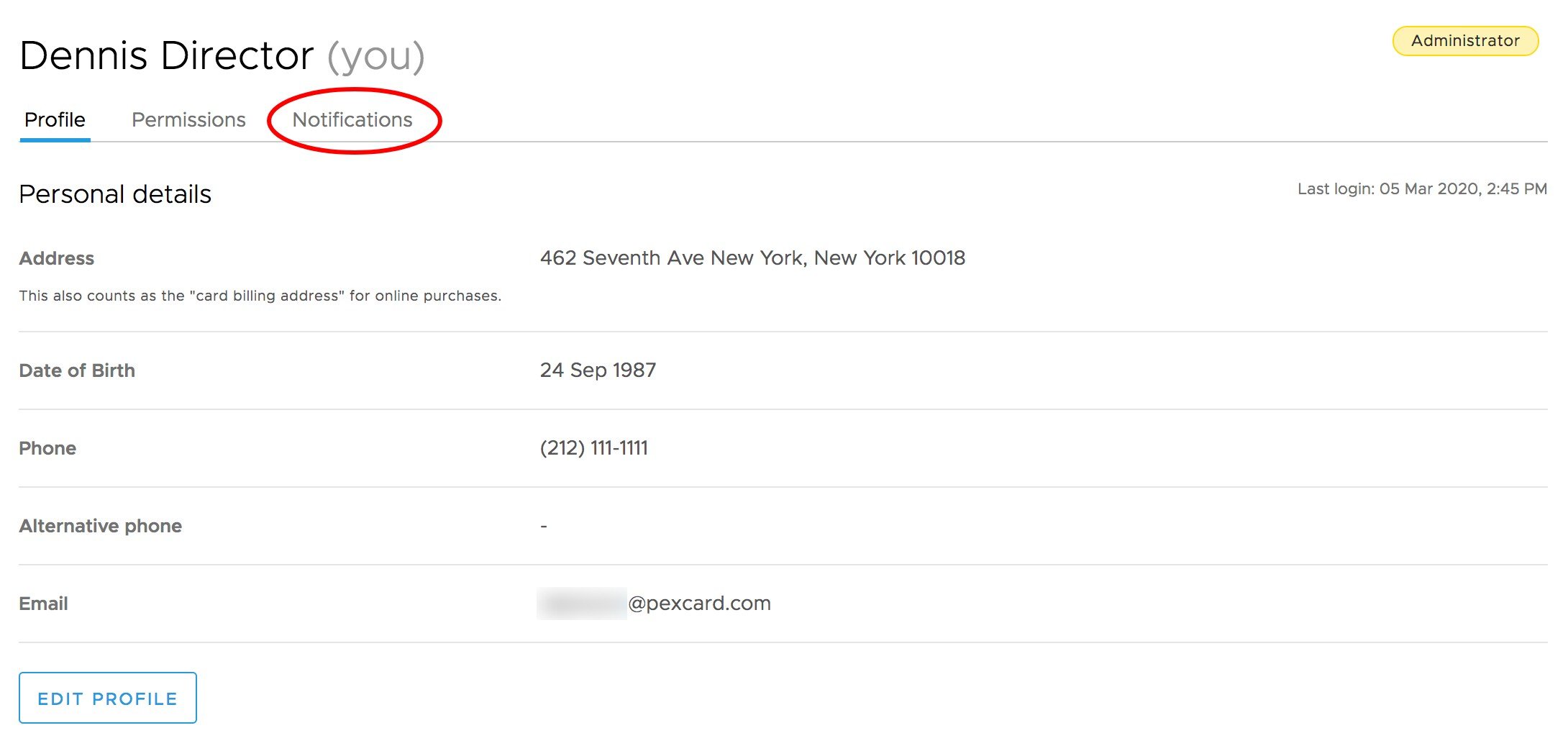
3
Click the “Change Notifications” button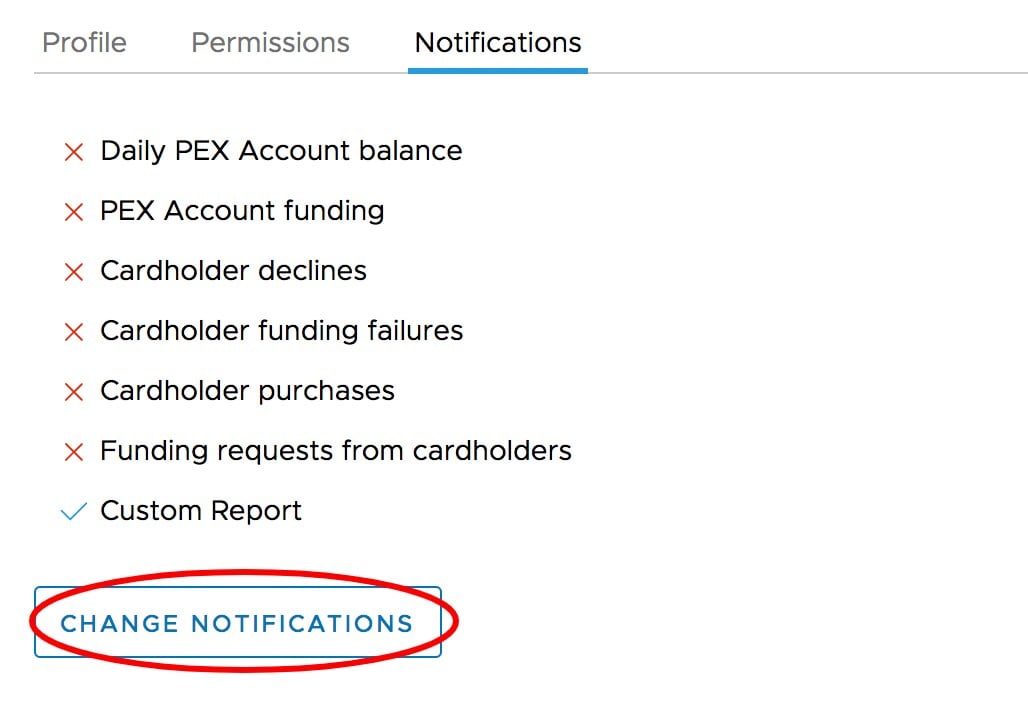
4
Check the box titled “Funding requests from cardholders”
5
Click “Update” to save the changes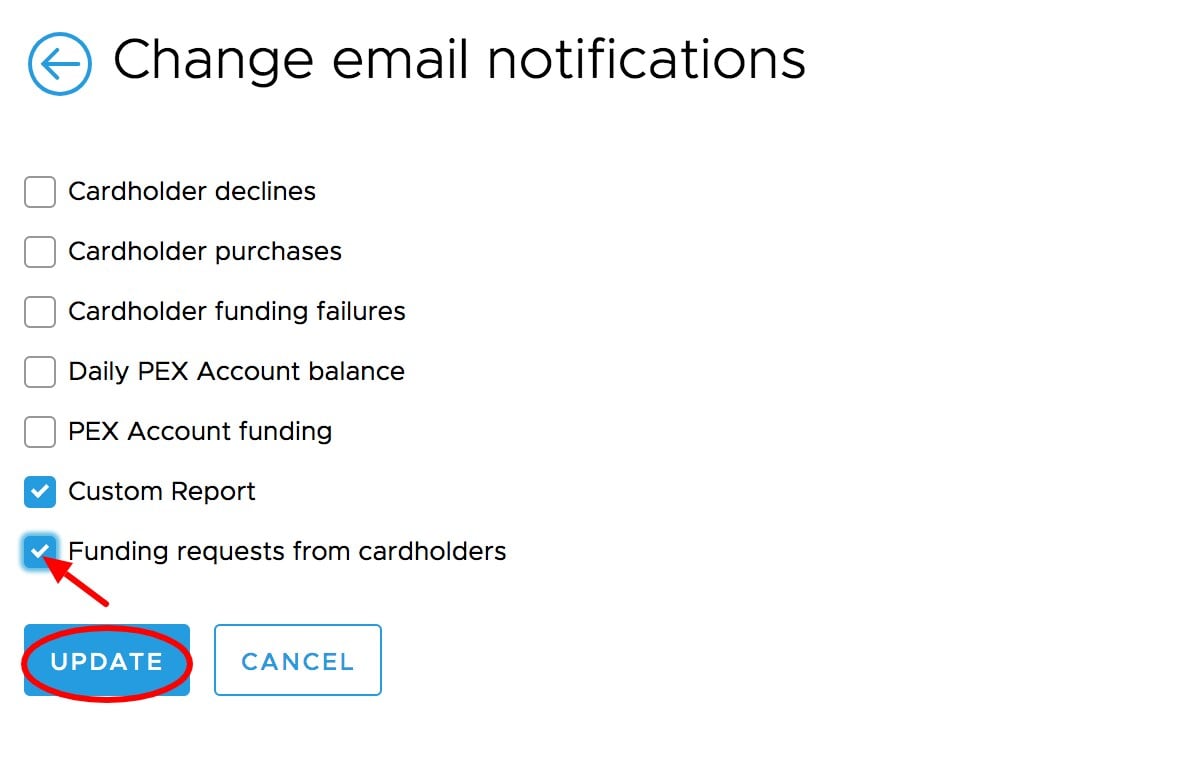
Note:Email notifications will be sent to the email address on file in your profile.
Disabling (or enabling) mobile push notifications
Please note, you must have the PEX Mobile app for iOS or Android to receive push notifications. You can also opt to receive notifications of new requests and cancelled requests via your mobile device. Additionally, mobile users can opt to receive a reminder notification if a request has been pending more than 24 hours after it was submitted. Mobile push notifications are enabled by default.1
Open the PEX Mobile app and log in using your administrator credentials
2
Tap the settings icon in the bottom right of the screen.
3
Tap the menu item titled “Notifications”
4
Use the toggle buttons to turn the notifications on or off.