

1
Log in to dashboard.pexcard.com
2
Click on “Business Settings”
3
Click on the “Tag manager” tab
4
Locate the tag you wish to Edit, and Click the pencil icon to edit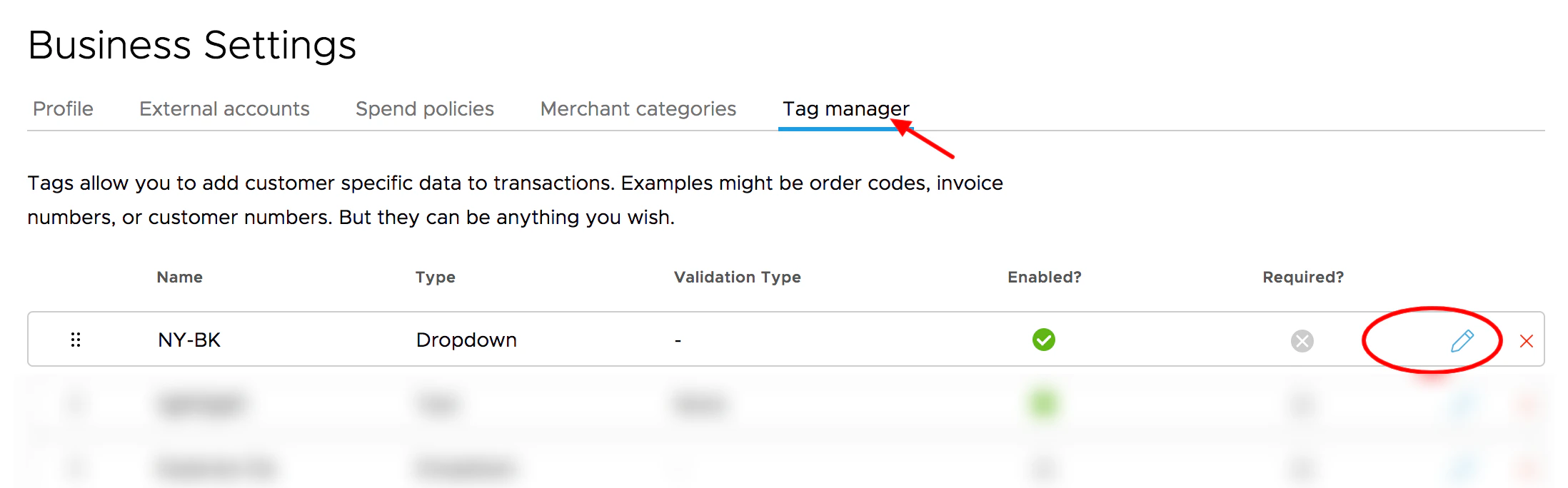
Click the pencil icon to Edit a tag.
5
On the Edit Tag screen, click the toggle to enable or disable
- Green means the switch is enabled
- Grey means the switch is disabled
6
Click the “Update” button to save your changes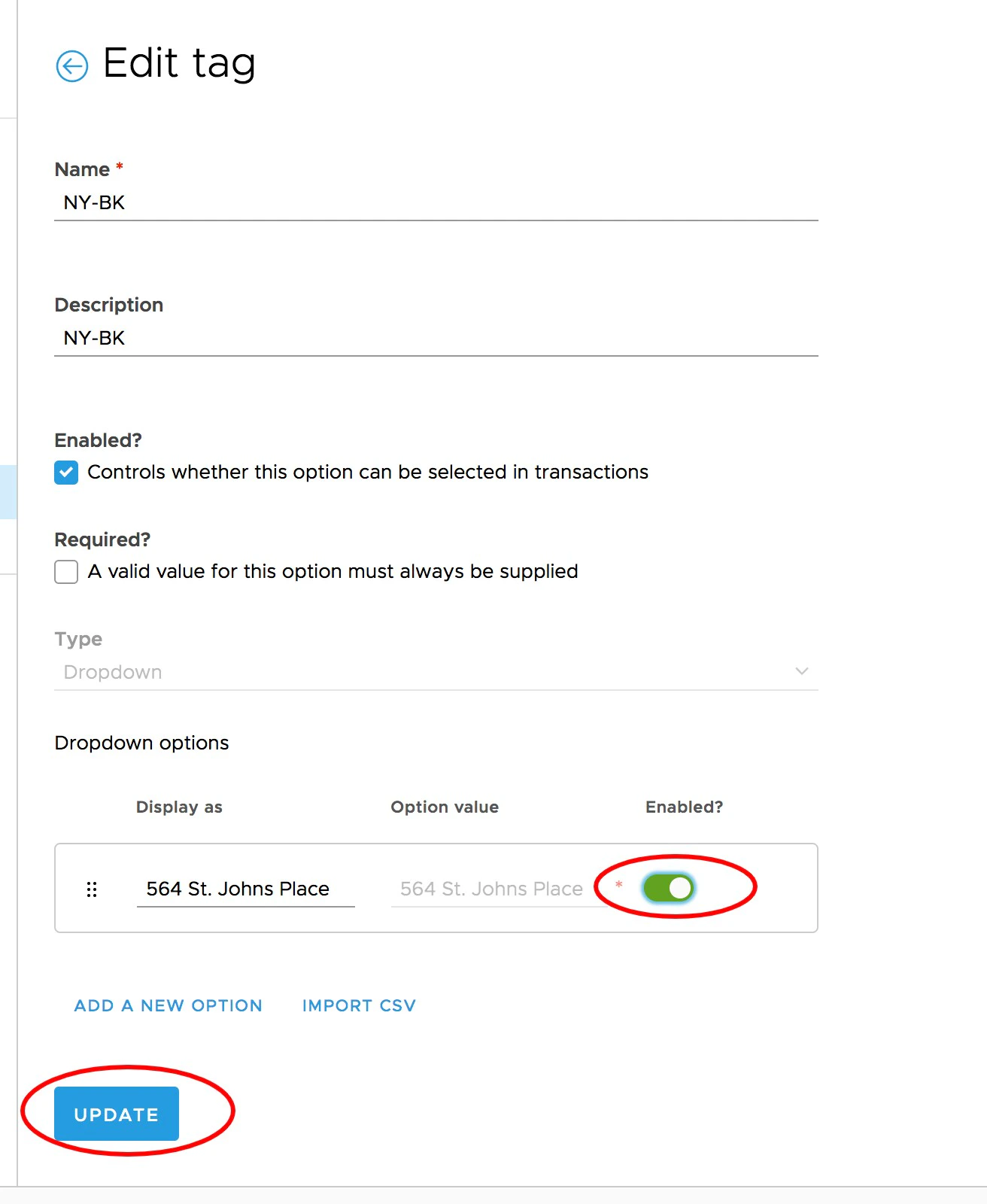
Click the enable/disable toggle, then click Update to save changes.
Note:
- Enabling or disabling a tag does not change any information for historical transactions.