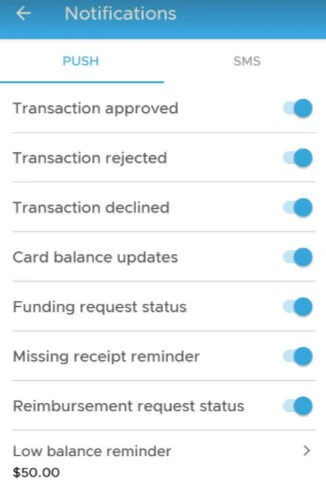
To Enable Low Balance Reminders
1
Open the PEX mobile app on your mobile device
2
Log in with your cardholder credentials
3
Tap on more icon bottom right of the screen
4
Tap on three dots in the lower right corner of your app to open the notifications field
5
Click on Notifications, click on Low balance reminder
6
Ensure the Low balance reminder switch is toggled to the right so it is blue so that it is active.
7
Type in the dollar amount in the Threshold amount field indicated. Click Save in upper right corner to lock in the changes.